Enable Auto-Update for a Multimedia Playlist
- James Yeoh
Owned by James Yeoh
Last updated: Apr 09, 2020
In this article, we will explore how to enable Auto-Update for a Multimedia Playlist. This feature is especially useful to easily update multiple devices when using Nested Playlists / Sub-Playlists.
Important Note
Active Multimedia Playlists with the Auto-Update feature enabled, will automatically download the updated content during the next device Reboot (even without initiating a Publish).
Enable Auto-Update on a Multimedia Playlist
Navigate to the desired Multimedia Channel / Playlist
Navigate to the Active Multimedia Playlist
Users can navigate to their active Multimedia Channel / Playlist by following the first 6 steps in the Edit and Publish a Multimedia Playlist article.- Click on the Auto Update Slider
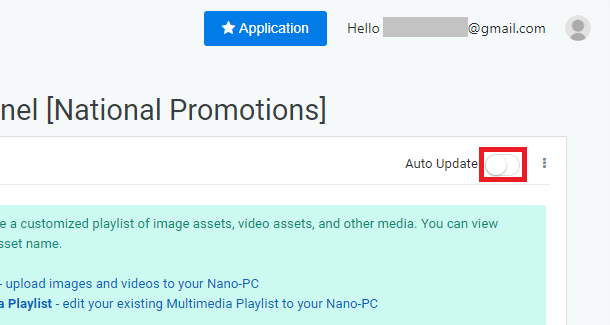
- You have successfully enabled Auto-Update for a Multimedia Playlist
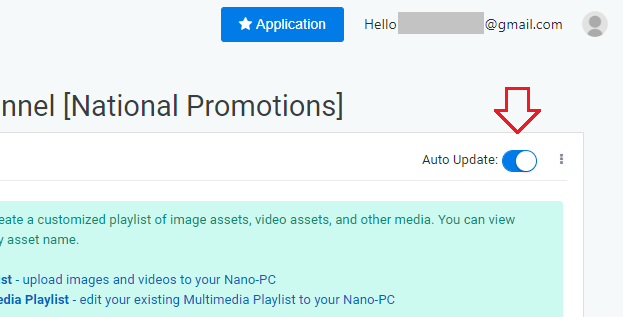
- You will only need to initiate a Publish once after enabling the Auto-Update
Applies to
OnePass 3.1.x, NexSigns 2.x, NexSigns 3.x
Related articles
, multiple selections available, Use left or right arrow keys to navigate selected items